1. Home
  2. Projects
  3. GreenClean

UX Design · Figma

GreenClean

A mobile app that helps people wash clothes in a more eco-friendly way. It explains microplastics, compares detergents on environment and price, and scans products for quick info.

  • Team 4 students
  • Course Introduction to Design of Digital Products, Østfold University College
  • When Autumn 2024
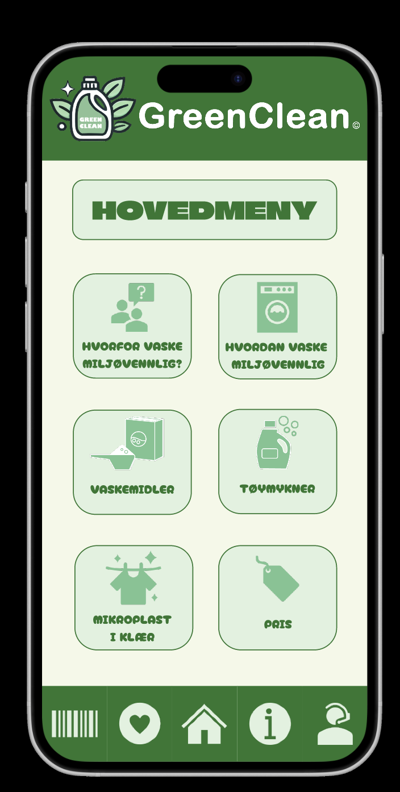
GreenClean start screen with logo GreenClean main menu with six green buttons

The problem

We started from UN Sustainable Development Goal 6.3: better water quality through less pollution. Microplastics from clothes end up in the ocean every time we do the laundry.

  • 80%+ of respondents did not know clothes contain microplastics
  • 18 questions in our survey about laundry habits
  • 8 people in our usability test

The survey showed that the real problem is a lack of accessible information. Most people choose detergent by price, smell and how well it works, and few want to change routines unless it is easy and saves money.

How we worked

  1. Insight Survey on habits and knowledge
  2. Personas Two users based on the answers
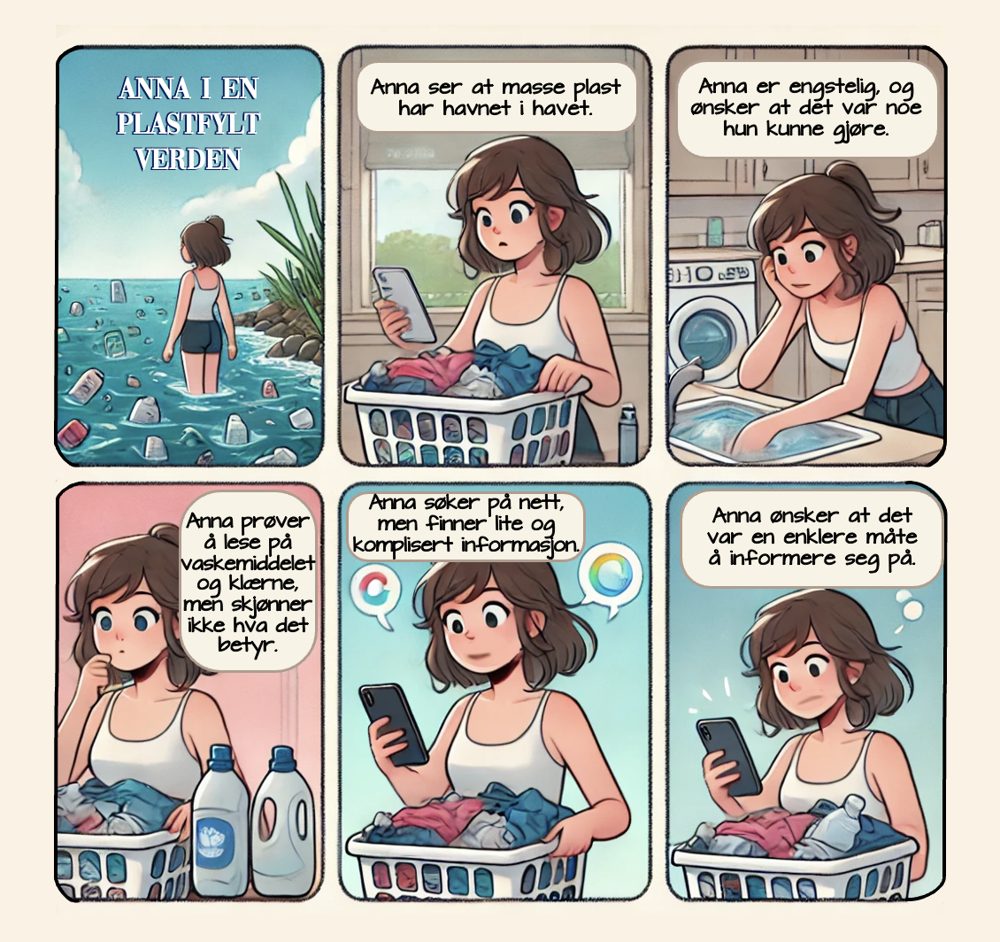
  3. Storyboard Anna's journey with the problem
  4. Prototype Brainstorming, wireframes and Figma
  5. Test Usability test with think-aloud

Who we designed for

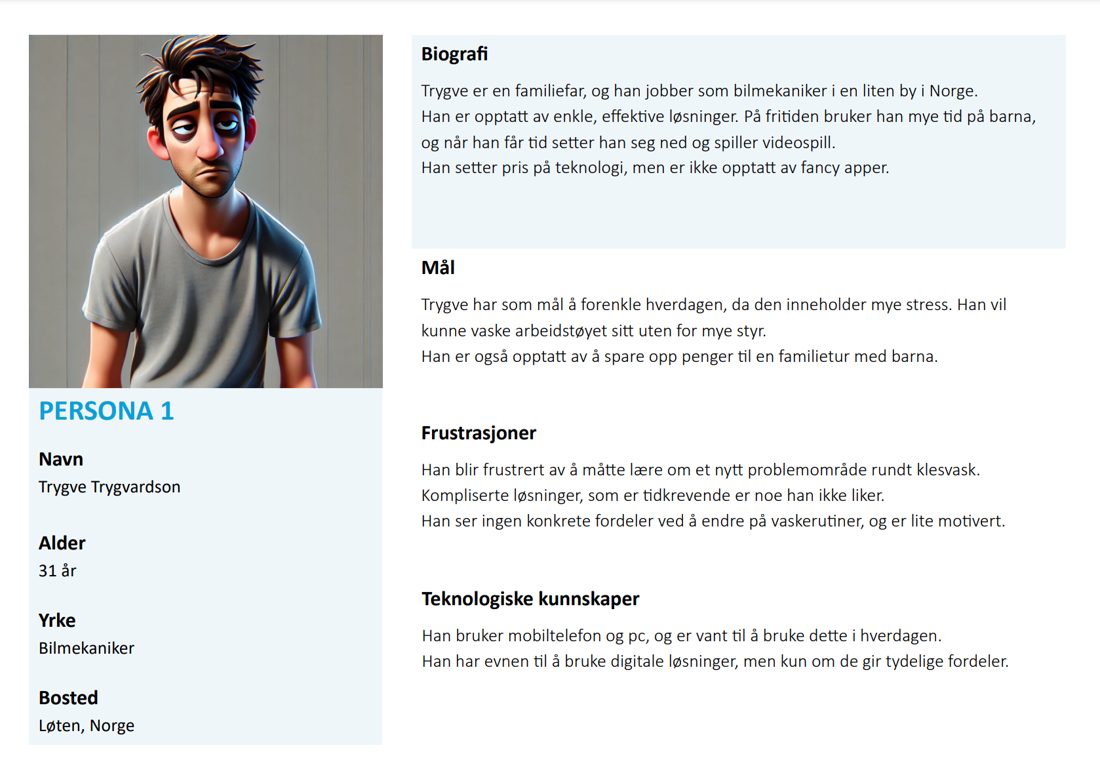
Persona 1: Trygve, 31, car mechanic and father who wants simple solutions and to save money
Trygve, 31: practical, cares about price and saving time.
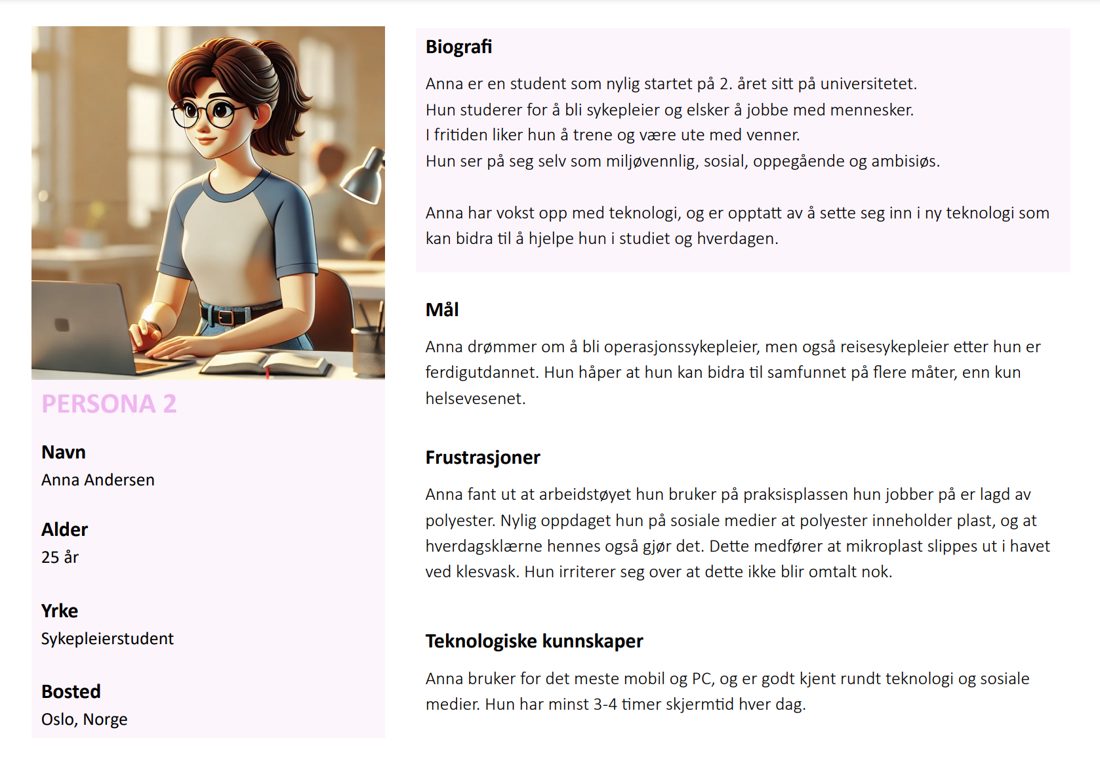
Persona 2: Anna, 25, eco-conscious nursing student who wants simple information
Anna, 25: eco-conscious student who wants simple, clear information.
Six-panel storyboard: Anna discovers plastic in the ocean, reads the detergent label and searches online without finding answers
Storyboard: Anna wants to help, but can't find information she understands.

The prototype

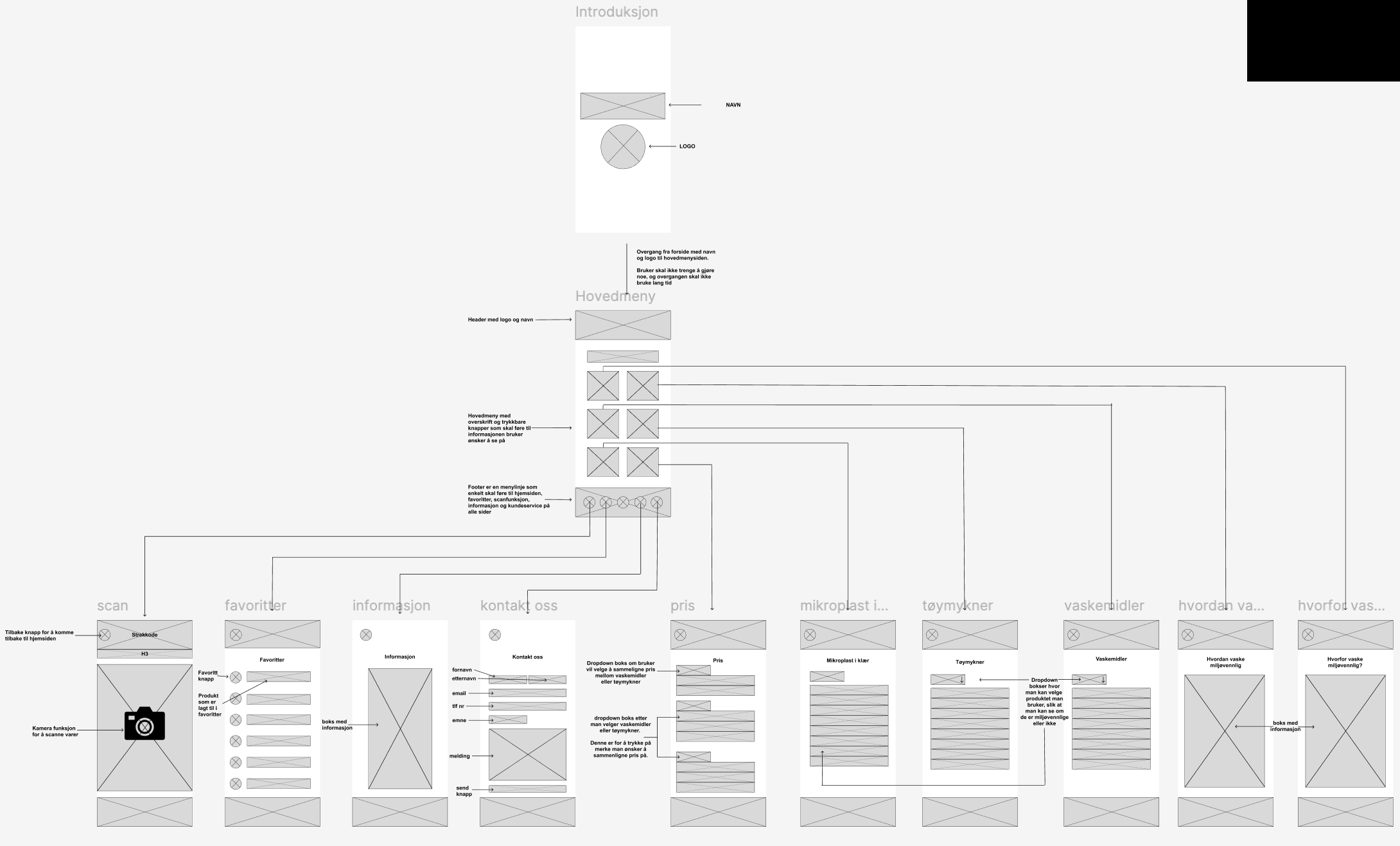
From brainstorming and brainwriting we kept three core ideas, then built wireframes, a flow diagram and an interactive prototype in Figma. The logo and several icons were drawn by the team.

Figma flow diagram showing how the app screens connect
Wireframes and flow diagram in Figma.
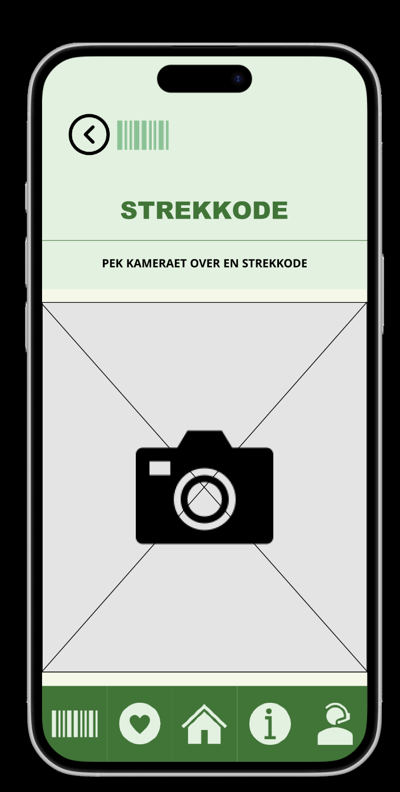
  • Scan products

    Point the camera at a barcode to see the product's environmental impact.

  • Compare detergents

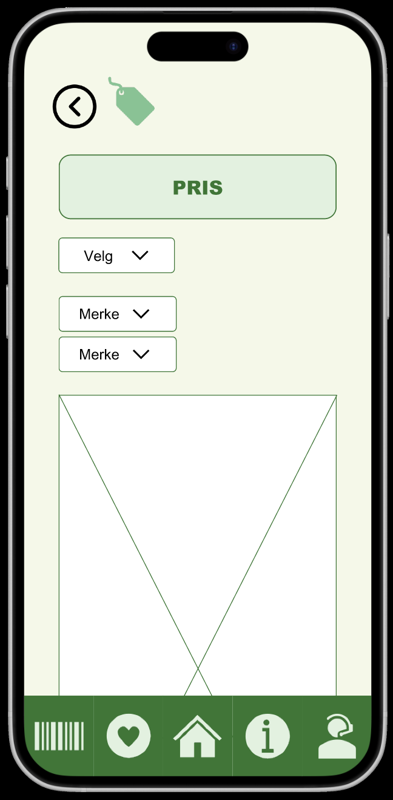
    Pick a brand and compare price and how eco-friendly it is.

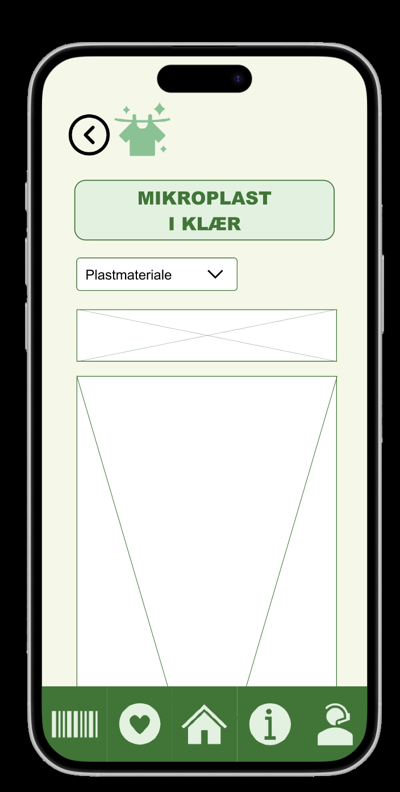
  • Microplastics in clothes

    Choose a material to learn how much it sheds in the wash.

Demo of the clickable prototype (4 min).
Barcode scanner screen Microplastics in clothes screen with a material picker Price screen for choosing brands to compare

What testing showed

We tested with 8 people, from young students to older adults, using the think-aloud method.

Feedback

  • Users praised how simple the app was
  • Some got lost because they expected "Contact us" under Information
  • Buttons felt too rounded and "bubbly", colours too pale
  • Footer icons were too big, labels hard to read
  • Older users liked the price info most; younger users cared more about money than the environment

Changes we made

  • Clearer navigation
  • Less rounded, more readable buttons
  • Smaller icons in the footer
  • New typeface under the labels
  • A more modern, professional colour palette

What I learned

  • Start with real data: the survey changed what we thought the problem was
  • Personas and a storyboard keep the team designing for real people
  • Details like button shape and colour decide whether an app feels trustworthy
  • An eco-friendly product also has to make sense for people's wallet
Back to all projects