1. Home
  2. Projects
  3. Web Shop

Frontend · HTML & CSS

Web Shop

A responsive three-page web shop built from sketches with only HTML and CSS: a front page, a product page and a checkout. Written by hand, without frameworks.
  • Team Individual exam
  • Course Web Development (ITF10511), Østfold University College
  • When Autumn 2024
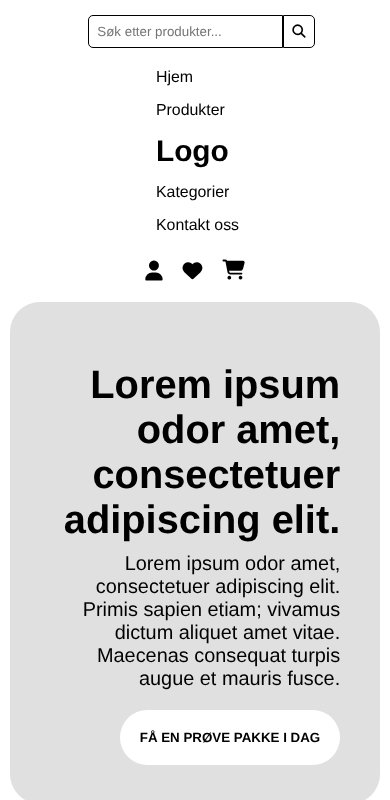
The web shop on mobile with search, menu and banner

The assignment

Build index.html, product.html and checkout.html to match the sketches, with one shared stylesheet. The rules were strict, which forced clean, semantic markup.
  • Validated HTML without errors
  • Max 5 <div> tags per page (I used 2–4)
  • Semantic tags: header, nav, main, section, article, aside
  • Identical menu and footer on every page
  • Both CSS Flexbox and Grid
  • Media queries, built mobile first
  • One stylesheet for the whole site
  • WCAG checklist for accessibility

The pages

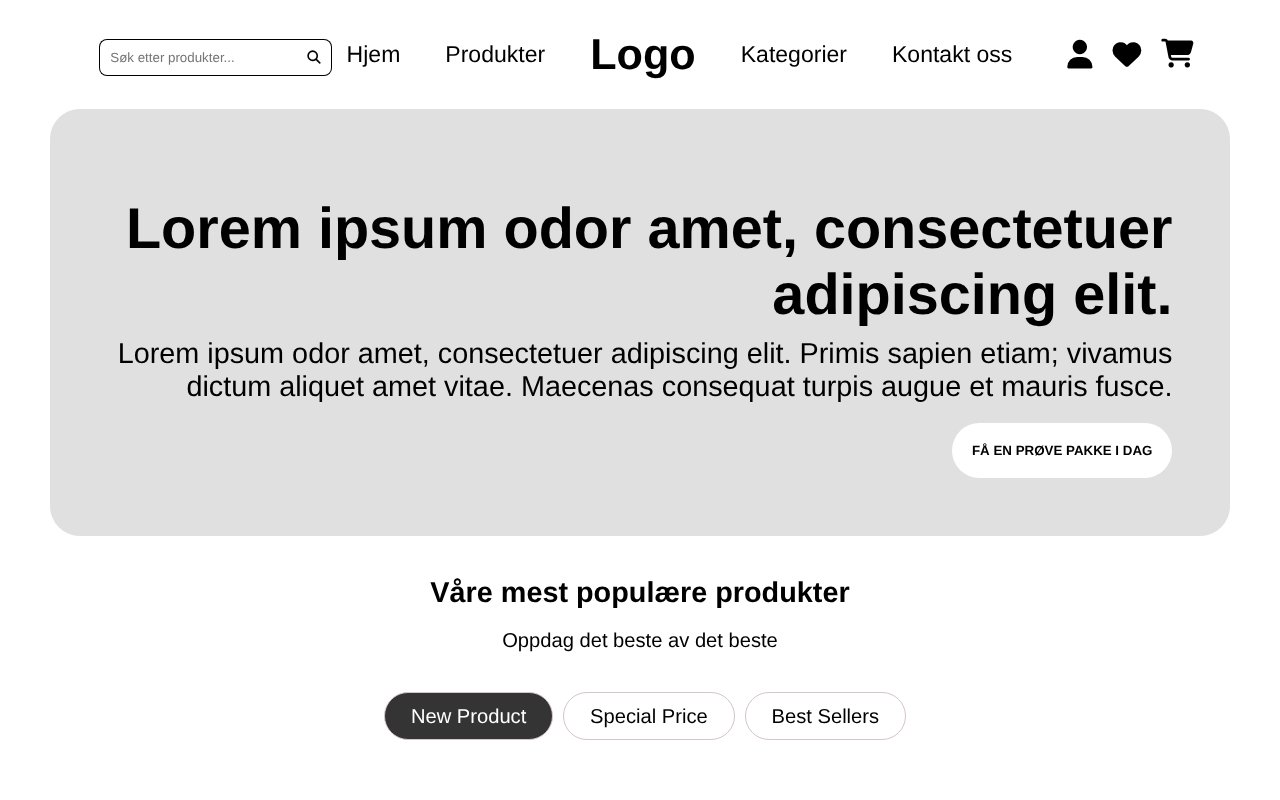
Front page with search field, menu with the logo in the middle, grey banner and product cards
Front page: search, menu with the logo in the middle, banner and product cards.
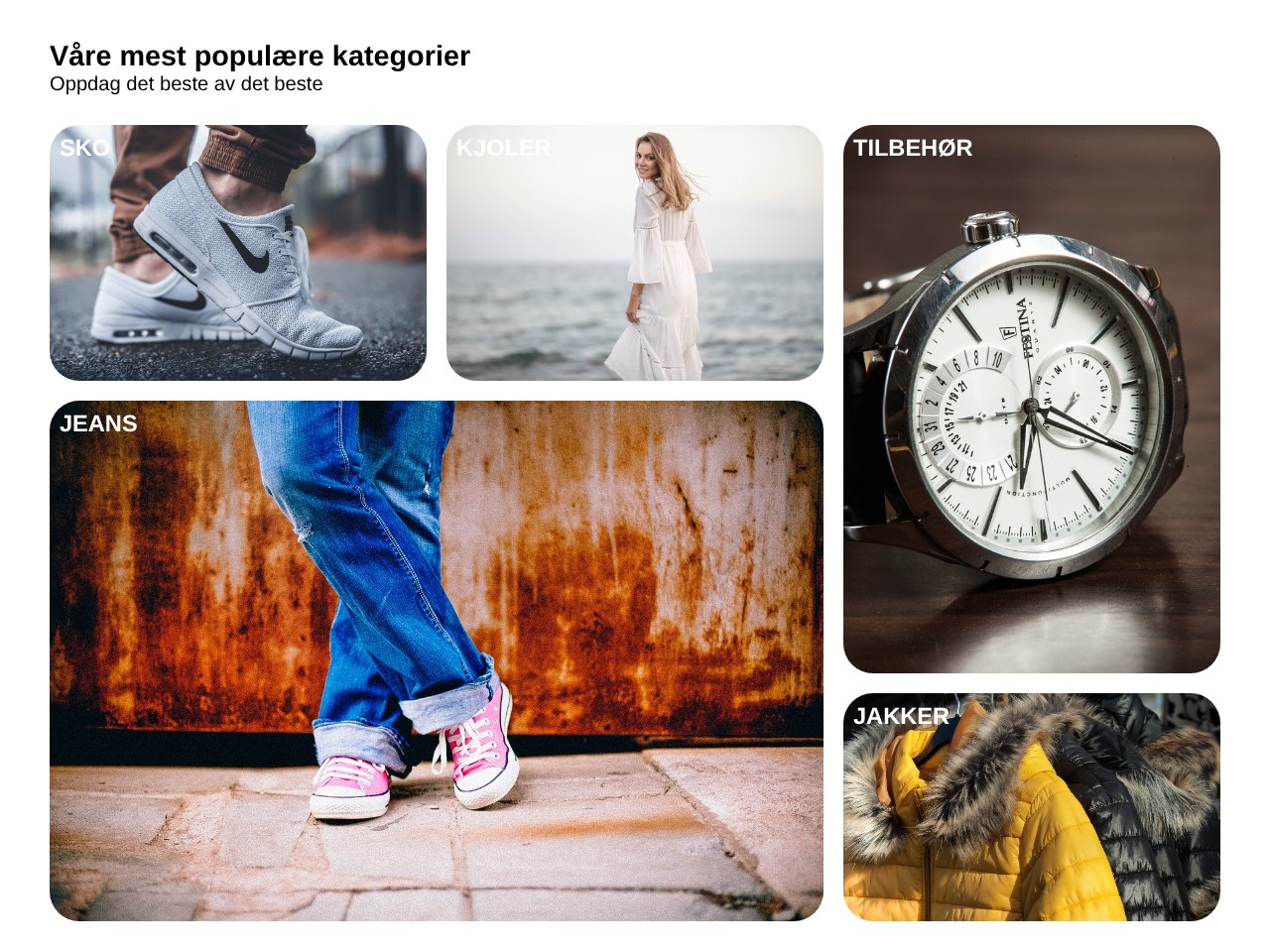
Category section with photos of shoes, dresses, accessories, jeans and jackets in a grid
Categories laid out with CSS Grid in different sizes.
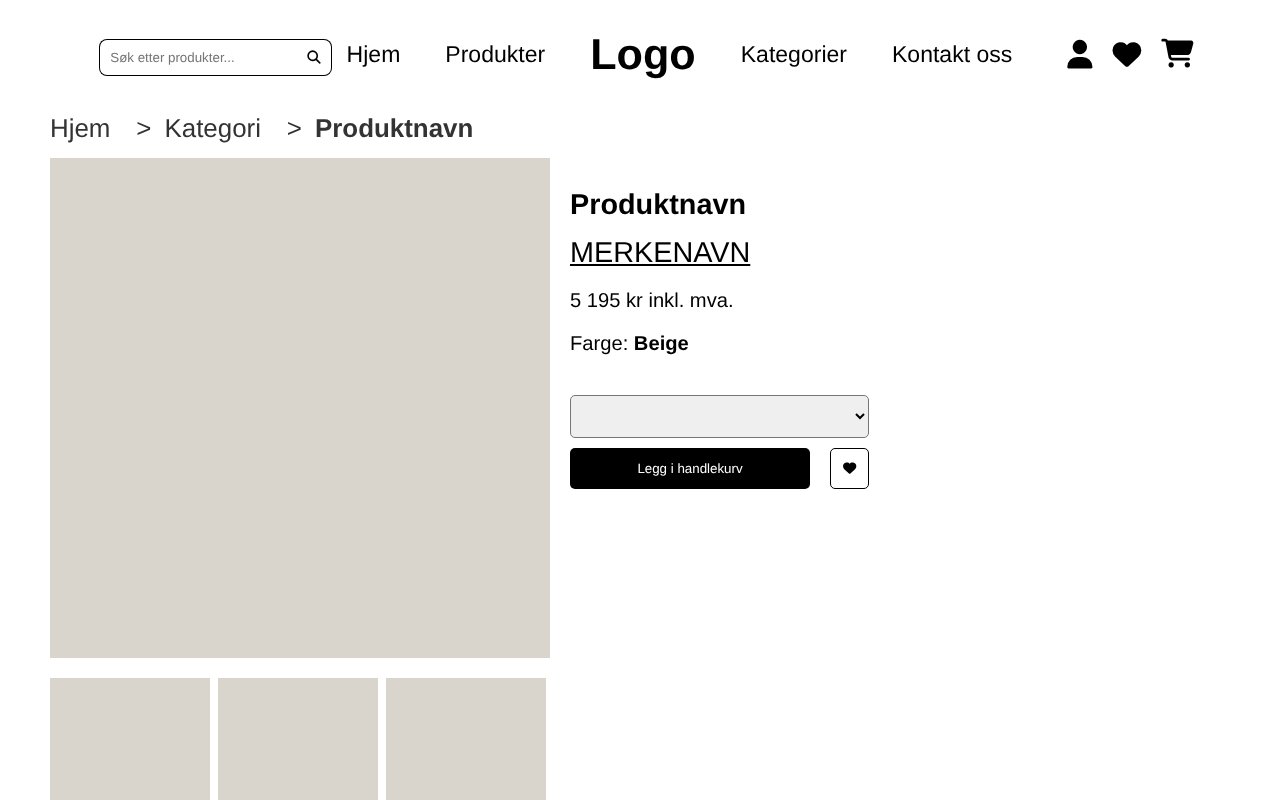
Product page with breadcrumbs, product images, size picker and add-to-cart button
Product page with breadcrumbs, image gallery and add to cart.

How it is built

HTML

  • Semantic structure instead of divs
  • Same header and footer copied to all three pages
  • Anchor links from the menu to sections on the front page
  • Alt text on all images

CSS

  • Mobile first, with breakpoints at 600 and 1000 px
  • Grid for products, categories and the product page
  • Flexbox for menus, buttons and the review list
  • Horizontal scroll with scroll snap for reviews
  • Font Awesome icons

What I learned

  • Semantic HTML makes a page easier to style, read and use with a screen reader
  • Designing for mobile first gives simpler CSS than squeezing a desktop layout
  • When to choose Grid and when Flexbox

This portfolio is built the same way, with plain HTML and CSS.

Back to all projects